For creators
Make your first browser game with Buildliy
Never written a line of code? That's totally fine. Buildliy is an AI app builder for people who've never shipped software: you describe what you want in plain words, it builds it, puts it online and hands you a link you can share. Buildliy itself shows off booking sites and café menus, but I tried it for a small browser game and it worked. Here's how to make your own.
Affiliate link: the Buildliy links on this page go through Vibe1Up, and we may earn a commission if you sign up or pay, at no extra cost to you. Sign up with our link or the code VIBE1UP and you get 50 bonus credits if you upgrade to Pro within 30 days. Everything here comes from Buildliy's own site as of November 4, 2026, and their site always wins if anything changes. Sources are at the bottom.
Here's the one I made
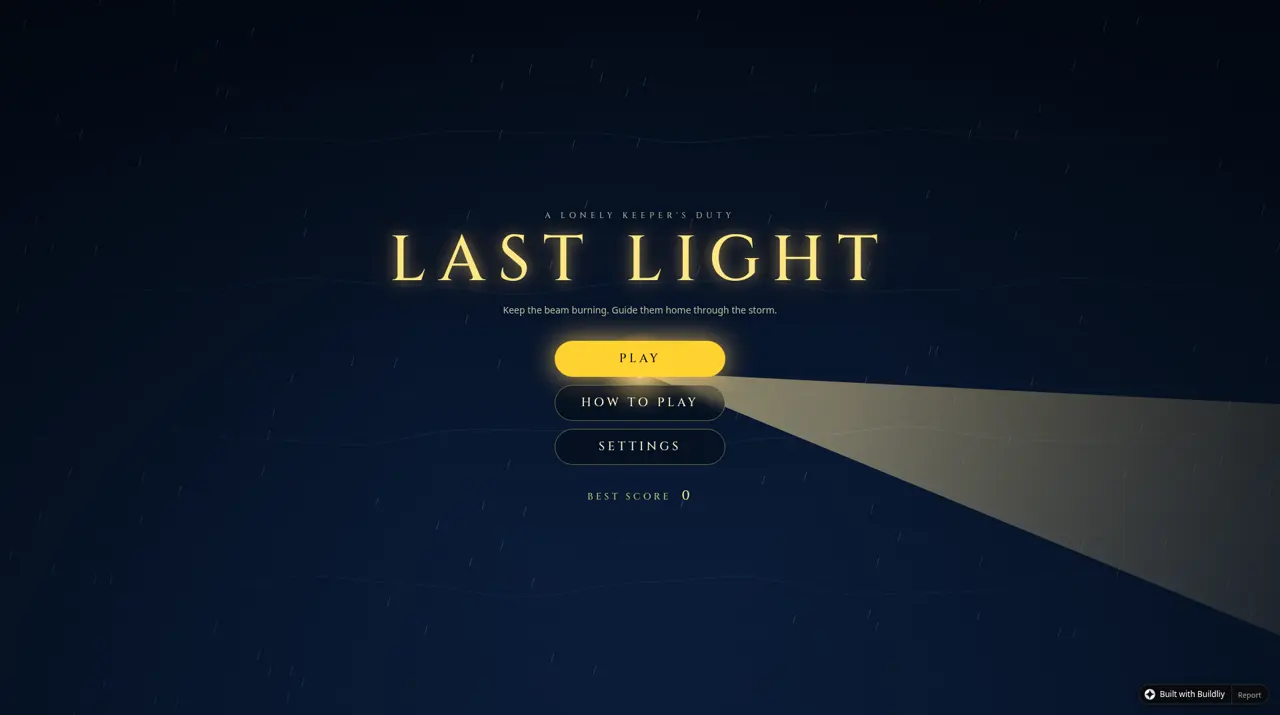
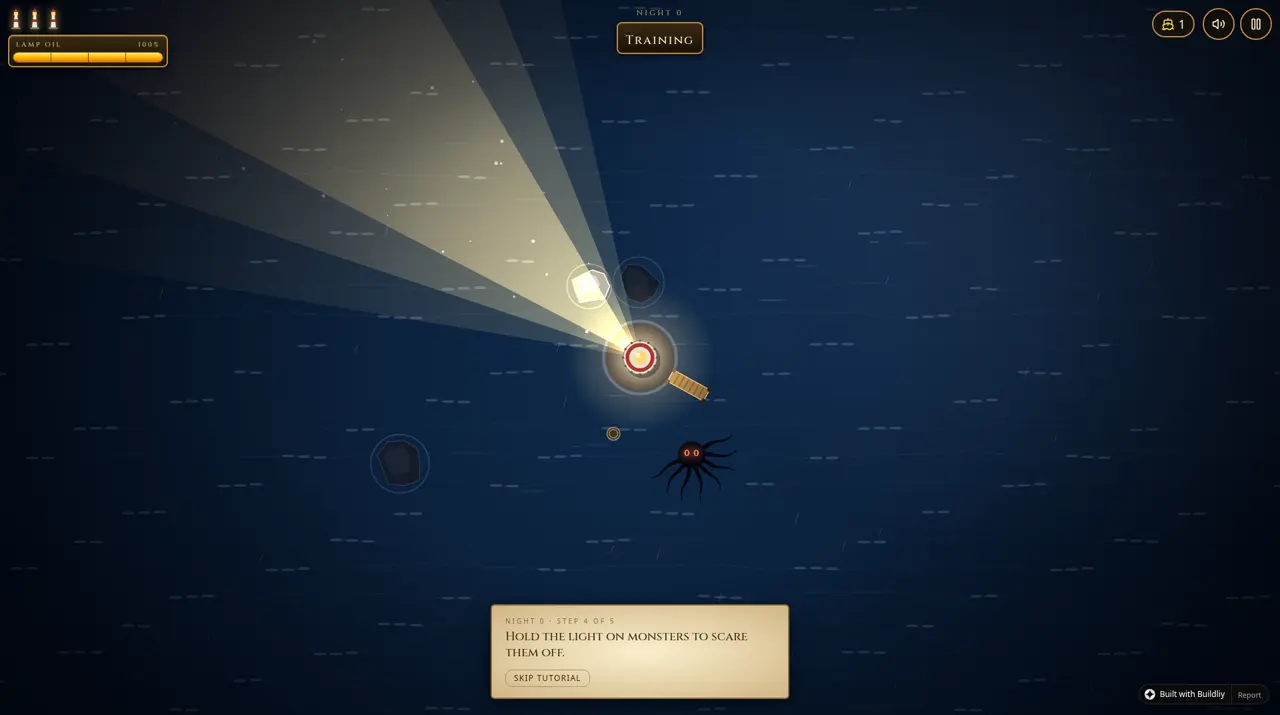
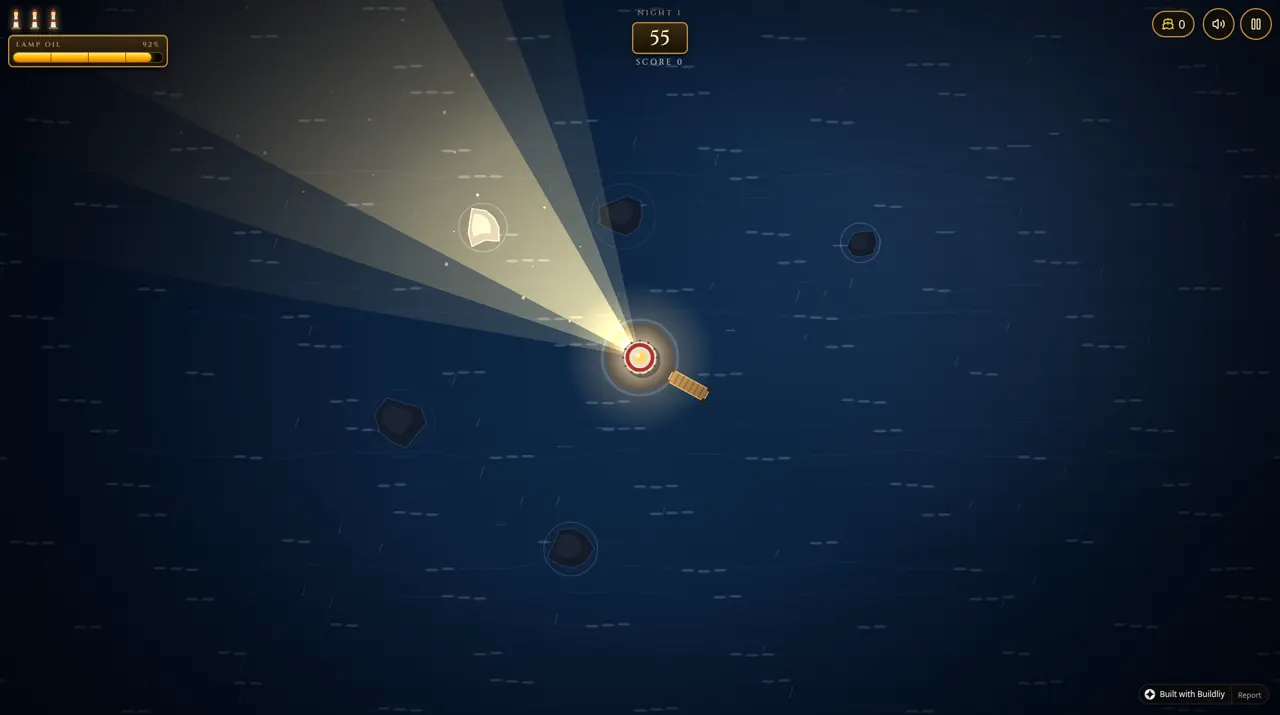
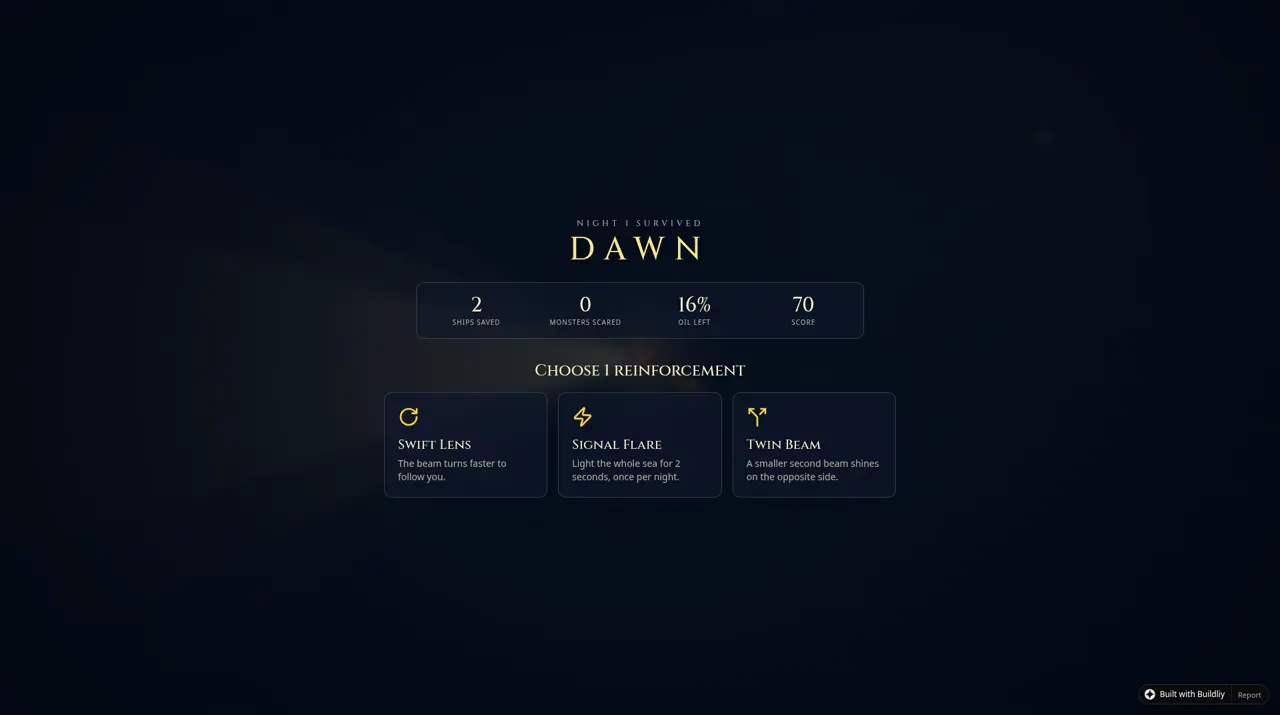
It's called Last Light. You're the keeper of a lonely lighthouse. Aim one beam to guide ships past the rocks, and hold it on sea monsters to scare them off. The beam burns oil, and ships that make it home drop more. Nights last a minute and get harder. At dawn you pick one of three upgrades.
1. Start free
- Create a free Buildliy account (this is our partner link). Buildliy says you can start free with no card needed. Pro is US$20/month if you want more later.
- Keep an eye on your credit balance: Buildliy shows it on screen and tells you what each build cost. A typical build uses a few credits, and a live preview uses a little credit while it runs.
2. Describe one small game
Buildliy asks you to type what you need the way you'd explain it to a friend. For a first game, keep it tiny: one mechanic, one goal, one way to lose. I started Last Light with a longer prompt than that, and Buildliy said it got cut off. The starting prompt is below. After that I fixed things in small follow-up passes, which worked better.
The starting prompt I used for Last Light
Build a polished, original browser game called "LAST LIGHT" that runs in one page on desktop and phones.

You are the keeper of a lonely lighthouse on a rock in the middle of a dark, stormy sea, seen from above. The lighthouse sits in the center of the screen and casts one cone of light (about 40 degrees wide) that you aim with the mouse or by dragging a finger.

Gameplay loop, one "night" at a time:
- Small ships appear at the edges of the screen and sail toward the harbor dock next to the lighthouse. In the dark they drift off course toward jagged rocks scattered around the sea. While a ship is inside your beam it straightens out and steers safely. Each ship that docks = +1 saved and drops an oil barrel. A ship that hits rocks sinks with a splash (lose a life, 3 lives per run).
- Sea monsters (glowing-eyed tentacle shadows) creep in from the dark toward the lighthouse. Holding the beam on a monster for about 1 second makes it shriek and dive away. If a monster reaches the lighthouse, you lose a life.
- The tension: you can't light everything at once, so you constantly juggle between guiding ships and scaring monsters.
- The beam slowly uses oil. Oil refills from barrels dropped by saved ships. If oil runs out, the beam flickers and becomes very narrow until you get more.
- A night lasts 60 seconds. Each night gets harder: more ships, faster monsters, more rocks, rain and waves that push ships around.
- Between nights, pick 1 of 3 random upgrades: wider beam, faster beam turn, a second smaller beam on the opposite side, flare (tap to light the whole sea for 2 seconds, 1 per night), sturdier hulls (ships survive one rock hit), monster-repelling foghorn, bigger oil tank.
- Run ends when lives hit 0. Show nights survived, ships saved, and a best score saved in the browser.

Look and feel: dark navy sea with animated waves, warm golden light cone with soft glow, ships and monsters only clearly visible inside the light (dim silhouettes outside), rain particles, lightning flashes in later nights, screen shake when a ship sinks, satisfying chime when a ship docks. Simple procedural sound effects (Web Audio) with a mute button. Title screen with a one-line how-to-play, a pause button, and smooth 60fps canvas rendering. No login or database needed.
Need ideas? Our Starter recipes and the Prompt Slot Machine are full of small game ideas you can describe in your own words.
3. Play it, then ask for changes
- Play it right away. Your working app runs next to the chat, and when you ask for a change you watch it update.
- Change one thing at a time. "Make the pads sink faster after 20 points" works better than five requests at once.
- Small text tweaks are free. Click any text or button in your app to change its words, color or size right there. Buildliy says direct edits are instant and use no credits.
- Broke something? Undo it. Every change is saved, and you can go back to any earlier version in two clicks.
- Curious about the code? Every file is visible in the Code tab. You never have to read it, but it's there.
What worked better than one giant prompt was iterating in small follow-up passes. After the first build I asked for a menu and a short tutorial, then a fairer gameplay loop, then a visual pass, then sound, and last a single bug fix so ships would actually dock. One big prompt got cut off, so the smaller asks did more of the work. The whole thing fit within the 100 free creator credits.
4. Publish and share the link
- Before publishing, Buildliy runs a safety check: exposed secret keys, broken pages, whether it works on phones, and more. Serious problems block publishing until they're fixed, explained in plain English.
- Publish. Buildliy hosts it for you and gives you a real web address. On Pro you can use your own domain too.
- Open the link on your phone as well, so you see what players see.
Want to keep it somewhere else too? You can export the whole project to your own GitHub account, and then host it anywhere, for example with our Netlify guide.
5. Get it in front of players
Made something fun? Share your game and prompt on Vibe1Up so other players and makers can find it. And it stays playable: a daily link check makes sure every listed game still loads, so players never hit dead links. If a game goes offline, it gets archived instead of sitting there as a dead link, and archived games stay preserved.
Sources (Buildliy's site, read Nov 4, 2026)
- Features, pricing, safety check, Code tab, GitHub export, undo: buildliy.com
- Referral bonus (50 credits on Pro within 30 days): buildliy.com/affiliate
Vibe1Up is an independent showcase of AI-made browser games. This guide is our own summary to help creators, not official Buildliy documentation. Buildliy links are affiliate links.
All Make a game guidesGet a Featured on Vibe1Up badgeShare your prompt